Build a WhatsApp quote request workflow
Build a practical WhatsApp quote request workflow that collects customer details, service scope, timing, location, and handoff information before follow-up.
Share this article
Share the article link with your team or network.
Quote requests often start with one short message: How much will this cost? The business cannot answer properly until it knows the scope, location, timing, and contact details.
A WhatsApp quote request workflow collects those basics in a guided way so the team can prepare a better response without repeating the same questions all day.
Why quote request chats get messy
A quote request is rarely just a price question. The answer depends on what the customer needs, where the work happens, how urgent it is, and whether the team has enough information to estimate properly.
When that context is collected manually, response quality depends on who is online, how busy they are, and whether they remember the right questions.
- Customers send incomplete requests.
- Staff ask the same scope questions repeatedly.
- Photos, locations, and timing details get separated across chat threads.
- Some requests need sales follow-up while others need operations or support.
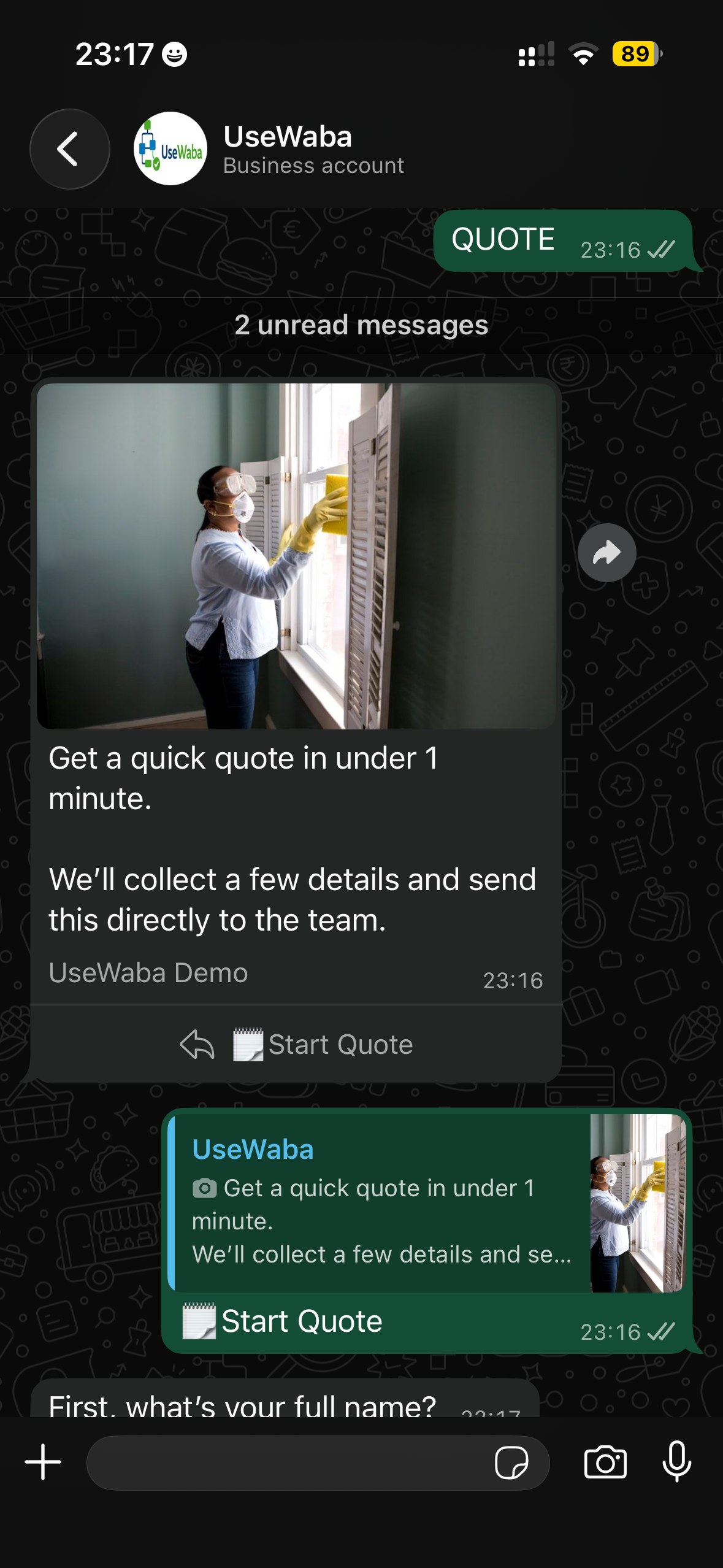
Start inside WhatsApp
The customer stays in WhatsApp while the workflow collects the information needed for a useful quote response.
Ask only the questions needed for a first useful quote
Do not try to build a final quoting engine on day one. Start by collecting enough detail for a person to prepare the next response.
- What product or service does the customer need?
- Where is the customer or job located?
- When do they need help?
- What size, quantity, or scope is involved?
- Can they share a photo, reference, or short description?
- Who should the team contact for follow-up?
Build the workflow in practical stages
A quote request workflow should feel like a normal conversation, not a survey. Break the flow into short stages that match how a person would ask questions.
Confirm the request type
Separate quote requests from bookings, support issues, or general questions early.
Collect scope details
Ask for the product, service, size, quantity, location, photo, or other details that affect the estimate.
Capture timing and urgency
Find out whether the customer needs help today, this week, or later.
Prepare the team summary
Send a concise summary with the key fields so the team can quote or ask one precise follow-up.
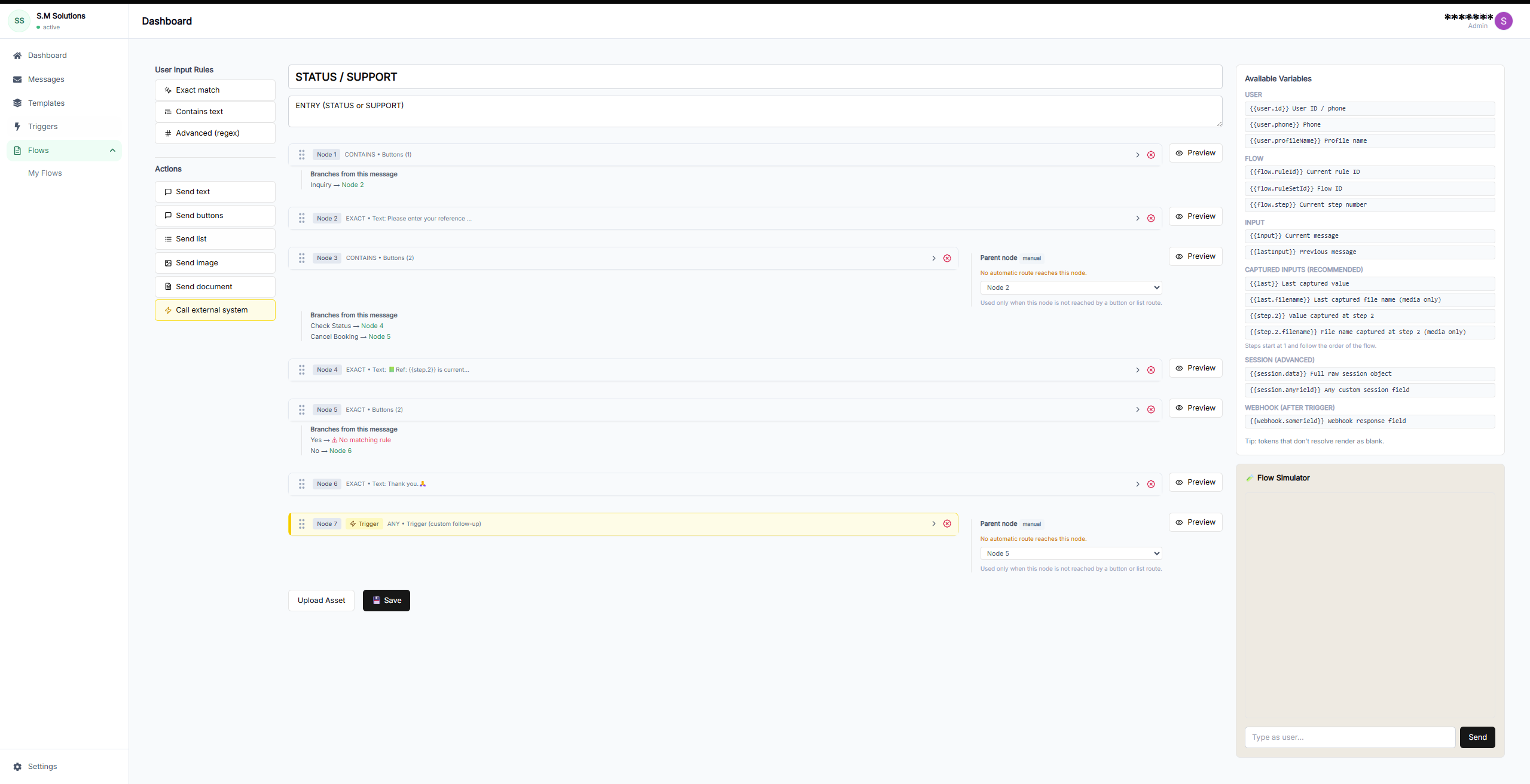
Reusable quote intake
A quote flow can collect scope and timing consistently before a person prepares the response.
Decide where quote requests should go
The right handoff depends on how your team works. Some businesses need a simple summary. Others need every quote request in a CRM, sheet, or internal system.
Quote request handoff options
| Factor | Handoff | Use when | Business value |
|---|---|---|---|
| Sales team summary | Send a structured summary to a sales user or shared inbox | The team quotes manually | Faster first useful response |
| Google Sheet | Append every request as a row | Requests need tracking across a small team | Cleaner quote queue |
| CRM | Create a lead or deal | Quotes are part of a sales pipeline | Better pipeline visibility |
| Webhook | Trigger an internal quoting or operations system | The business has custom systems | Less manual re-entry |
Frequently asked questions
Can a WhatsApp workflow generate the final quote automatically?
UseWaba can collect the structured information needed for quoting and handoff. Final price logic depends on your business process and integrations.
Can customers send photos in a quote request?
A quote workflow can ask for supporting context such as descriptions, references, or media where your WhatsApp setup and process support it.
What is the best first quote workflow to launch?
Start with your most common request type and the questions your team already asks manually before quoting.
Try the quote request demo
See how a customer can start a WhatsApp quote request and hand your team a cleaner summary.
Related articles
Lead capture
How to automate WhatsApp lead capture for your business
A practical implementation guide for turning WhatsApp enquiries from ads, websites, and direct messages into qualified lead records.
Read articleLead intake
Campaign-to-WhatsApp workflow: how to qualify customer interest before team handoff
A practical guide for turning campaign responses and short WhatsApp messages into usable context before a team follows up.
Read articleBuyer guide
Best WhatsApp automation platforms for small businesses
A practical buyer guide for choosing the right WhatsApp automation platform based on workflow needs, integrations, and team handoff.
Read article