Best WhatsApp automation platforms for small businesses
Compare WhatsApp automation platform types for small businesses, including shared inboxes, chatbot builders, workflow automation tools, CRMs, and UseWaba-style workflow layers.

Share this article
Share the article link with your team or network.
The best WhatsApp automation platform is not always the one with the longest feature list. It is the one that fits the job your team needs done.
For small businesses, the main question is usually practical: can this platform help us respond faster, capture better information, reduce admin, route requests correctly, and avoid losing enquiries in busy chats?
Choose the platform by the job, not the label
Many tools describe themselves as WhatsApp automation, but they solve different problems. Some are shared inboxes. Some are chatbot builders. Some are CRM messaging add-ons. Some focus on workflow intake and system handoff.
Before comparing tools, write down the specific job you need to improve.
- Do you need multiple users replying from one WhatsApp number?
- Do you need guided intake questions before a person follows up?
- Do you need CRM, Google Sheets, or webhook handoff?
- Do you need customer support routing?
- Do you need campaign-to-WhatsApp lead qualification?
Common WhatsApp automation platform types
Small businesses usually compare five categories. Each can be the right choice when the use case matches.
Shared inbox tools
Useful when the main problem is multiple team members handling the same WhatsApp inbox.
Chatbot builders
Useful when the business needs scripted questions, simple branching, and common replies.
CRM messaging add-ons
Useful when the team already lives inside a CRM and wants WhatsApp messages attached to pipeline records.
Automation platforms
Useful when WhatsApp needs to trigger broader automations across multiple tools.
Workflow layers
Useful when customer messages need to become structured intake, routing, logging, and team handoff.
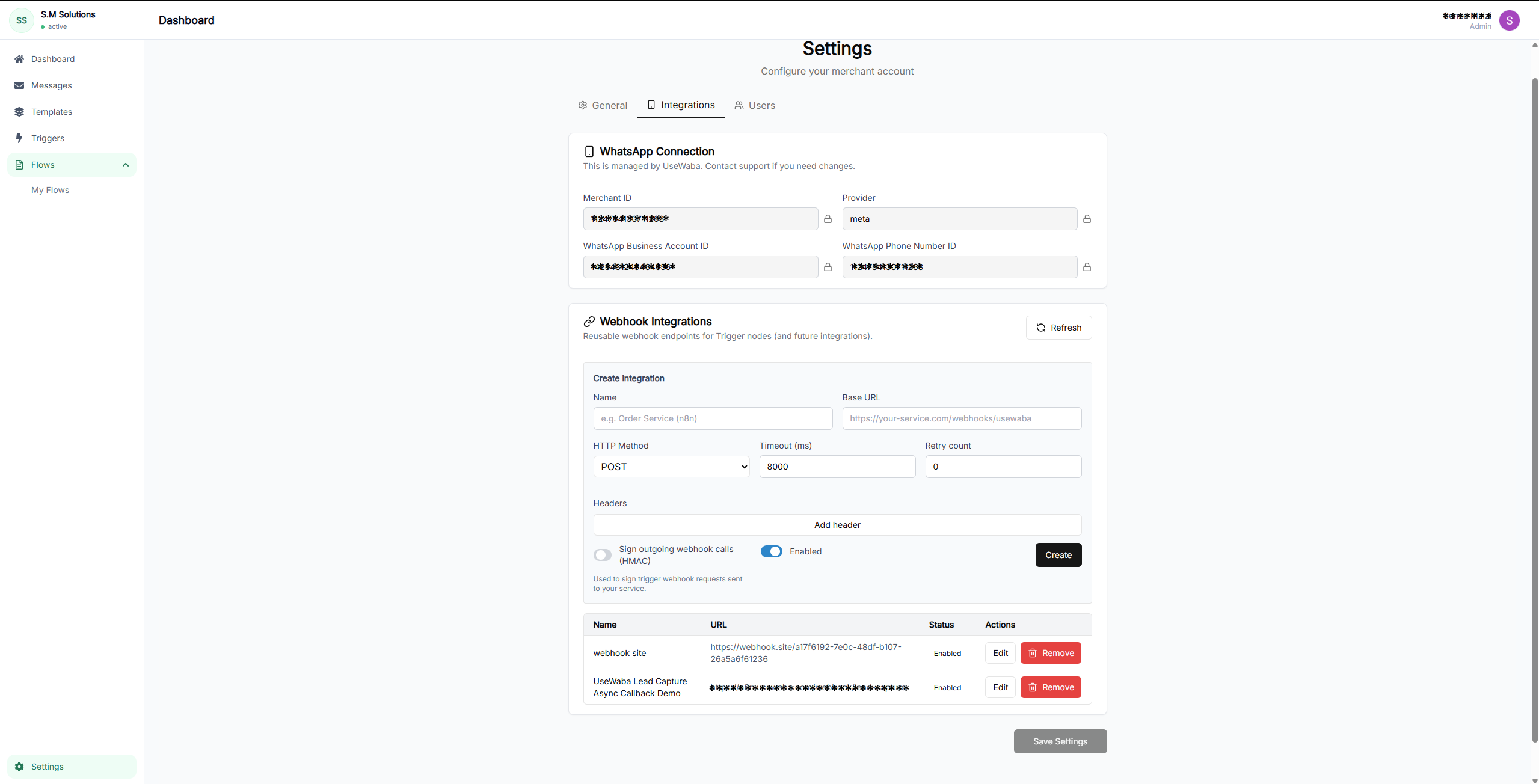
Integrations matter after intake
The platform should fit where your structured WhatsApp data needs to go next.
Compare WhatsApp automation platform types
Platform type comparison
| Factor | Best for | Limits | Question to ask |
|---|---|---|---|
| Shared inbox | Team replies and assignment | May not structure intake deeply | Can it collect and route fields before handoff? |
| Chatbot builder | Guided questions and basic branching | Can become hard to operate if workflows grow | Can the team update flows without breaking handoff? |
| CRM add-on | Sales teams already using a CRM | May be tied to one CRM workflow | Can it support non-sales workflows too? |
| General automation tool | Cross-system triggers | May need more technical setup | Who owns monitoring and errors? |
| Workflow layer | Intake, routing, logging, and system handoff | Needs clear workflow design | Can it support the real customer journeys you receive? |
Shortlist criteria for small businesses
A small business should prioritize operational fit over novelty. The platform should make everyday work easier without forcing customers into a new app or adding heavy internal admin.
- Works with WhatsApp Business Platform or WhatsApp Cloud API where required
- Supports guided questions and structured fields
- Routes requests by answers, source, team, or urgency
- Can hand off to Google Sheets, CRM, webhook, or internal systems
- Keeps conversation logs and workflow context
- Has clear pricing that matches expected volume and workflow complexity
Where UseWaba fits
UseWaba is best suited to businesses that already receive WhatsApp enquiries, bookings, quote requests, support issues, or campaign responses and need those messages to become structured workflows.
The core fit is not generic chat. It is turning customer messages into captured fields, routing decisions, logs, and handoff to teams or systems.
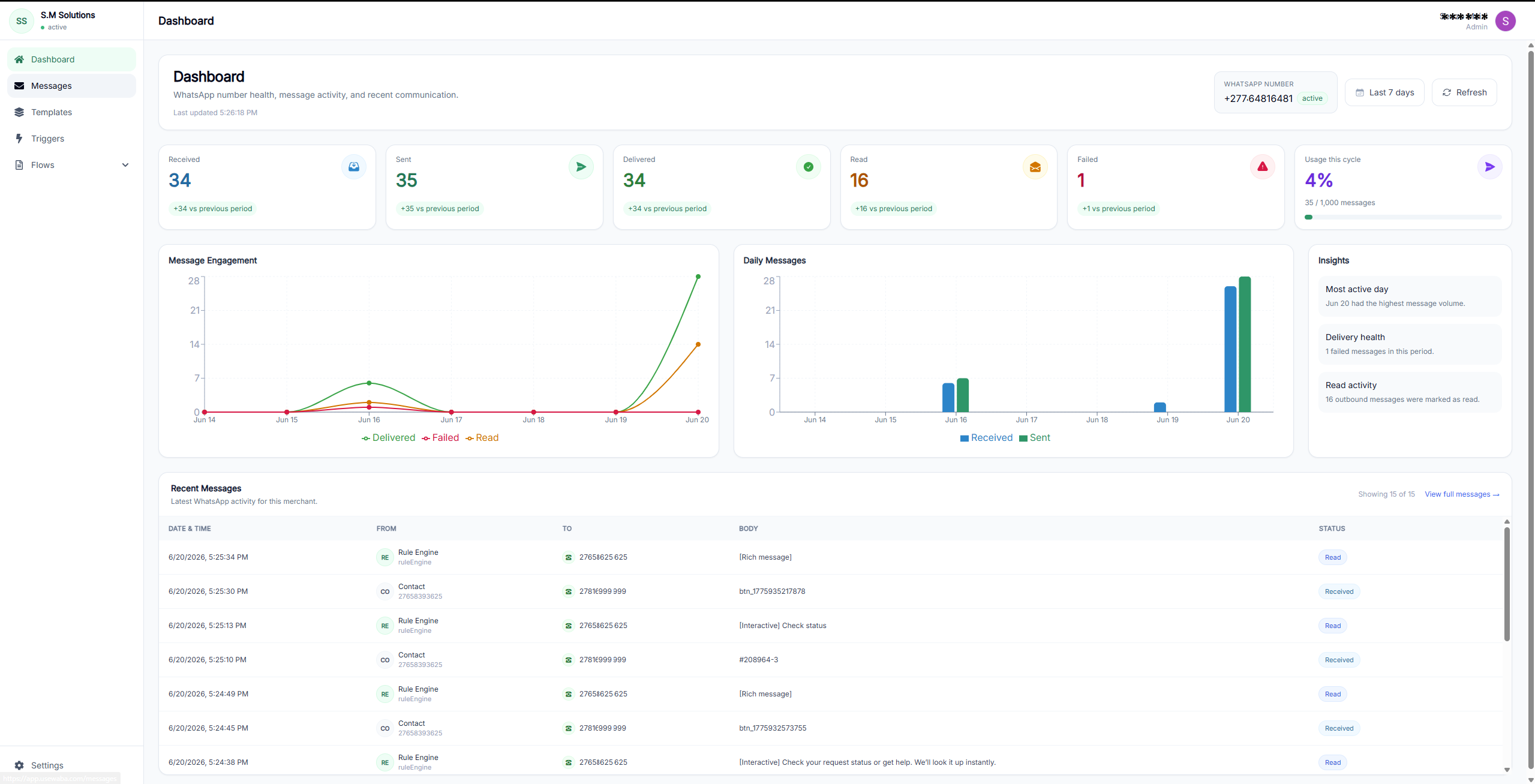
A hosted workflow layer
UseWaba focuses on the operational layer between a customer WhatsApp message and the team or system that needs the request.
Frequently asked questions
What is the best WhatsApp automation platform for a small business?
The best platform depends on the job. Choose a shared inbox for team replies, a CRM add-on for sales pipeline messaging, or a workflow layer like UseWaba when you need structured intake, routing, logging, and handoff.
Do small businesses need the WhatsApp Cloud API?
Many production WhatsApp automation setups use the WhatsApp Business Platform or Cloud API. The exact setup depends on the provider and the business requirements.
Is a WhatsApp chatbot enough for lead capture?
A chatbot can ask questions, but lead capture also needs source tracking, qualification, routing, logging, and reliable handoff to the team or system that follows up.
See whether a workflow layer fits your WhatsApp process
Try the live demos or compare plans to understand how UseWaba handles intake, routing, and handoff.
Related articles
Lead capture
How to automate WhatsApp lead capture for your business
A practical implementation guide for turning WhatsApp enquiries from ads, websites, and direct messages into qualified lead records.
Read articleComparison
WhatsApp lead capture vs website contact forms
A practical comparison for businesses deciding when to use WhatsApp workflows, website forms, or both.
Read articleQuote workflows
Build a WhatsApp quote request workflow
A step-by-step guide for replacing loose quote request chats with structured WhatsApp intake and cleaner team handoff.
Read article